
The best starting point is a four-part mix: Standard Shopping (or Shopping-led Performance Max) for bottom-funnel intent, Performance Max for broader prospecting, a defensive branded Search campaign, and remarketing to catch the people who almost bought. None of it works without one prerequisite: a clean Merchant Center feed and accurate conversion tracking. Skip that step, and every dollar you spend after is a guess dressed up as a strategy.
TL;DR:
- Ensuring a clean Merchant Center feed and accurate event tracking, including micro-conversions, are critical to maximizing Google Ads performance.
- Starting with a properly structured campaign mix—brand-protected Shopping and Search, broad Performance Max, and remarketing—prevents channel overlap and improves ROI.
- Feed hygiene, including correct titles, attributes, GTINs, and weekly disapproval checks, directly impacts click-through rates and advertising efficiency.
- Waiting until 30 to 50 conversions per campaign in 30 days before switching to Target ROAS avoids early volatility and poor budget allocation.
- The initial 90-day setup should focus on foundation fixing, launching core campaigns, and establishing a disciplined optimization routine to build stable, scalable results.
Table of Contents
- Is Your Store Actually Ready for Google Ads for Ecommerce?
- Which Google Ads Campaign Type Should You Run First?
- How Do You Clean Up Your Product Feed for Shopping Ads?
- What Conversion Events Should You Track in GA4?
- When Should You Switch to Target ROAS Bidding?
- What's the Best Account Structure for Ecommerce Ads?
- What Should Your Weekly Google Ads Checklist Include?
- How Do You Get Better Results from Performance Max?
- What's the 90-Day Plan for Launching Google Ads?
- What Do Ecommerce Clients Consistently Get Wrong Before They Come to Us?
- Want a Team That Sets This Up and Manages It for You?
- Where to Verify the Technical Details
- Sources
Is Your Store Actually Ready for Google Ads for Ecommerce?
Before you touch a campaign setting, ask whether your store can capture and report what happens after the click. Most underperforming accounts have nothing wrong with bidding. They have broken plumbing upstream.
Start with budget. Below that, Google's bidding algorithms don't have enough data to learn, and you end up judging a strategy on noise.
Landing pages matter more than most sellers admit. A product page that loads slowly, buries the "Add to Cart" button below the fold, or skips trust signals like reviews and return policy details will bleed traffic no bid strategy can fix. If your landing page doesn't load fast on mobile and make the next step obvious, that's the first fix, not your Target ROAS setting.
Conversion tracking comes next, and it needs to go beyond the final purchase. Micro-conversions like add-to-cart and begin-checkout tell you where shoppers stall, which matters because a campaign with a decent click-through rate but a weak add-to-cart rate points to a pricing or product-page problem, not an ad problem.
Merchant Center setup rounds out the foundation. Before you launch anything:
- Confirm every product has a valid GTIN or brand plus MPN combination
- Match your listed price and availability exactly to what's on the live product page
- Set accurate shipping settings and tax rules for every region you sell into
- Check for policy disapprovals weekly, not monthly, since a paused feed quietly kills impressions
Google's Merchant Center is the mechanism behind Shopping ads that show product images, prices, and retailer information directly in search results, and Shopify's own guidance for ecommerce sellers backs the same order of operations: connect Merchant Center, track purchases accurately, then launch Shopping and Performance Max as your core structure.
Pro Tip: Run a test purchase on your own site before you launch anything. If the confirmation page doesn't fire a tracked event, neither will your customers' purchases.
Google still controls the largest share of digital ad revenue among major ad-selling platforms in the US, which is part of why fixing the foundation is worth the delay. You're building on the biggest piece of real estate in digital advertising. Treat it that way.
Which Google Ads Campaign Type Should You Run First?
Every campaign type in Google Ads does one job well and several jobs poorly. Confusing them is the fastest way to waste a budget that could have converted.
Standard Shopping campaigns pull directly from your product feed to show images, prices, and store names inside search results. They're the closest thing to a sure bet in ecommerce advertising because they target people already searching for a product like yours. Prefer Standard Shopping over folding everything into Performance Max when you need granular control over specific SKUs, want visibility into search terms, or run a catalog where certain products carry thin margins that need tighter bid caps.
Performance Max picks up where Shopping's control ends and reach begins. It runs across Search, Shopping, YouTube, Display, Gmail, and Maps, and Google's own documentation confirms it relies on asset groups and audience signals to figure out where your best customers are. Performance Max performs best when you feed it: a full and accurate product catalog, at least one strong audience signal (customer list, engaged site visitors), and asset groups organized by product family rather than dumped into one generic group. Left alone with none of that, it defaults to whatever converts easiest, which is often your cheapest product, not your most profitable one.
Search campaigns still have a job, and it's smaller than most advertisers assume. Two use cases justify the spend: defending branded queries so competitors and marketplaces don't outbid you for your own name, and capturing high-intent, problem-solving queries your Shopping feed can't cover, like "best waterproof hiking boots for wide feet." Everything else is usually better served by Shopping or Performance Max.
Display, Demand Gen, and video rarely close a sale on the first touch, but they're where you test creative before committing real prospecting budget to it. A short product video that performs well in Demand Gen often becomes the backbone asset for your Performance Max asset groups a few weeks later.
Remarketing and dynamic remarketing exist to recover the majority of shoppers who leave without buying. Dynamic remarketing pulls the exact product a visitor viewed back into the ad itself, which tends to outperform generic retargeting because the creative matches intent instead of guessing at it. Google's guidance on remarketing lists confirms the same principle Shopify emphasizes: pairing accurate ecommerce tracking with a remarketing list is what makes this channel worth running at all.
Here's how the funnel typically breaks down by intent level:
- Bottom funnel, high intent: Standard Shopping, branded Search
- Mid funnel, broad reach: Performance Max with themed asset groups
- Top funnel, creative testing: Display, Demand Gen, YouTube
- Post-visit recovery: Dynamic remarketing, standard remarketing lists
Most accounts that plateau on ROAS have all five channel types running, but running them with no clear division of labor. Fix the overlap before you fix the bids.
How Do You Clean Up Your Product Feed for Shopping Ads?
Feed hygiene is the single biggest lever for Shopping ad effectiveness, and it's the lever most sellers ignore until performance already dropped. Structured titles, accurate attributes, and correct GTINs materially affect click-through and cost, because Google matches your feed against search queries the same way it matches keywords. A vague or incomplete title loses that match before your bid ever comes into play.
Work through the feed in this order:
- Rewrite titles with the search-first structure. Lead with brand, then product type, then key attributes like size, color, and material, in the order a shopper would actually type them.
- Fill every recommended attribute field, not just the required ones. Color, size, material, and pattern all feed Google's matching logic, and gaps here quietly shrink your eligible impressions.
- Upload high-resolution images with clean backgrounds for the primary image, and add lifestyle or in-use images as additional images where your platform supports it.
- Structure product variants correctly using the item_group_id field, so color and size options roll up under one parent listing instead of competing against each other for the same query.
- Build custom_label fields for margin tier, promotional status, and inventory age. This is what lets you bid differently on a 60% margin bestseller versus a clearance item buried in the back of your catalog.
- Audit for disapprovals weekly. The most common causes are mismatched prices between the feed and the landing page, missing return policy information, and misclassified product categories.
Custom labels deserve more attention than most Merchant Center guides give them. They're what let you segment by margin or promotional status inside Shopping and Performance Max, and without them you're bidding on your whole catalog as if every SKU were worth the same to your business.
Pro Tip: Set a custom_label for "margin_high," "margin_mid," and "margin_low" today, even before you touch bids. You'll need the segmentation the moment you want to push budget toward your most profitable products instead of your most popular ones.
Disapprovals are usually procedural, not policy violations in the strict sense. Price mismatches between your feed and your live page are the most common trigger, followed by missing shipping details and incomplete GTIN data on newer SKUs. Check the diagnostics tab in Merchant Center at least once a week. A feed issue that sits unresolved for ten days can cost more in lost impressions than a month of aggressive bidding mistakes.
What Conversion Events Should You Track in GA4?
Google's bidding algorithms are only as good as the data you feed them, and most ecommerce accounts feed them less than they think. Four events form the minimum viable tracking setup: view_item, add_to_cart, begin_checkout, and purchase. Each one tells Smart Bidding something different about where a shopper stalled, and without all four, the system optimizes toward the wrong signal.
Linking GA4 to Google Ads and importing conversions properly is not optional if you want Smart Bidding to work as intended. Shopify's guidance on this point is direct: without that link and accurate imported revenue data, Smart Bidding decisions get compromised, because the algorithm ends up optimizing toward a number that doesn't reflect what actually happened in your store.
Set up tracking in this order:
- Install Google Tag Manager and confirm it fires on every page, not just the homepage
- Configure the four core ecommerce events in GA4 using the recommended ecommerce event schema
- Link your GA4 property to your Google Ads account inside the GA4 admin panel
- Import the purchase conversion action into Google Ads and set it as primary
- Confirm purchase value and currency pass through accurately, not as a flat placeholder value
That last point trips up more accounts than any other step. If every purchase reports the same value regardless of actual order size, Target ROAS and Maximize Conversion Value have no way to tell a $30 order from a $300 one. The bidding system will happily optimize for volume over value, and your ROAS will look fine right up until you check your actual margin.
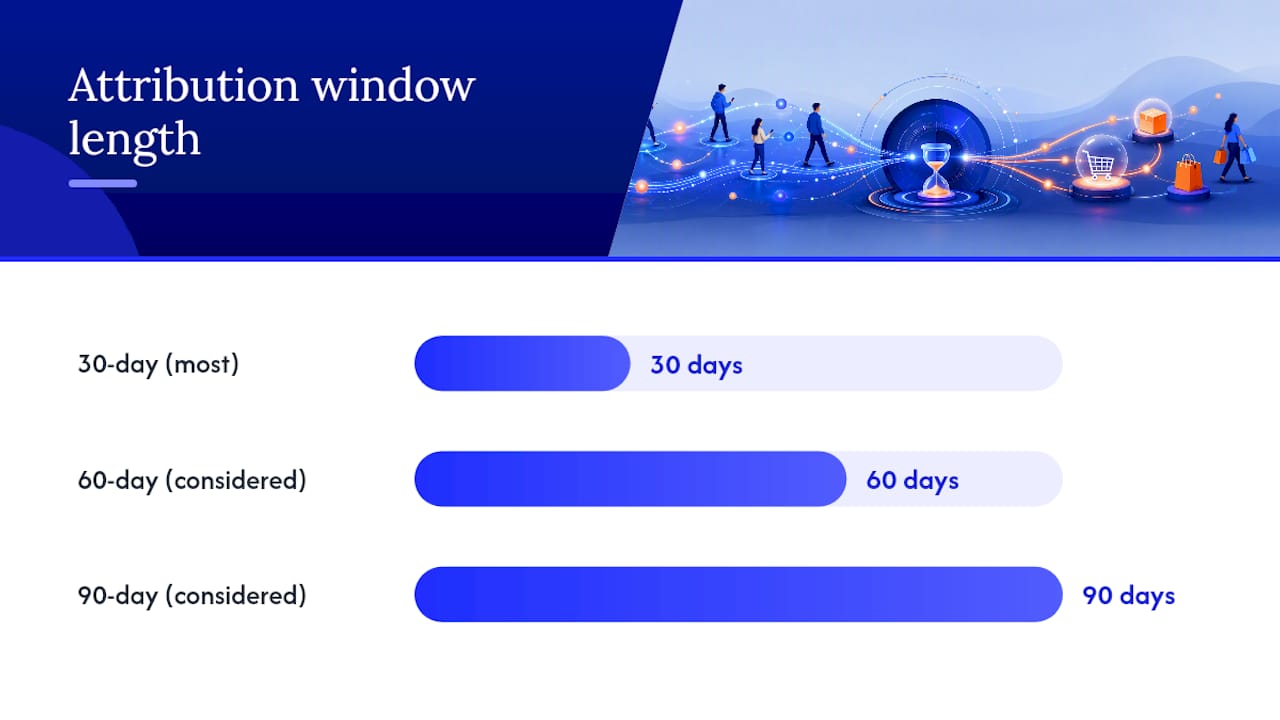
Attribution windows are the last lever, and they're easy to set once and forget. A 30-day click window suits most ecommerce purchase cycles, but a store selling considered purchases like furniture or electronics may need 60 or 90 days to capture the full path to purchase. Shorten the window too much, and Smart Bidding undercounts conversions that happen outside it, then compensates by chasing cheaper, faster sales that may not be your best customers.
Google's large share of digital ad spend in the US reflects how much weight the platform carries, but that scale only helps you if the signals you send it are accurate.
When Should You Switch to Target ROAS Bidding?
Most accounts jump into automated bidding too early, then blame the algorithm for volatility that's really a data problem. The rule of thumb: wait for at least 30 to 50 conversions per campaign in the trailing 30 days before switching to Target ROAS. Below that threshold, Maximize Conversion Value without a strict target, or even manual CPC with tight monitoring, gives you a steadier runway while the account builds a conversion history.
When you do set your first Target ROAS, set it conservative. Pick a number slightly below your actual breakeven ROAS, not above your ideal one. An aggressive target set too early forces the algorithm to chase fewer, higher-value conversions before it has enough data to find them reliably, and the result is usually a spend collapse rather than a profit increase. Our ROAS benchmarks breakdown walks through the math on setting realistic targets by margin.
Budget allocation should shift as the account matures:
- Launch phase (first 60 days): 40% Shopping, 30% Performance Max, 15% branded Search, 15% remarketing
- Growth phase (60 to 180 days): 30% Shopping, 40% Performance Max, 10% branded Search, 20% remarketing
- Mature phase (180 days plus): allocation shifts toward whichever channel delivers the strongest marginal ROAS, often landing near 25% Shopping, 45% Performance Max, 10% Search, 20% remarketing
Scale in steps, not leaps. Doubling a budget overnight resets the learning phase and often tanks performance for a week while the system relearns your account's new spending pattern.
Watch three metrics closely during any scaling push: cost per acquisition by product group, not just account-wide CPA; ROAS trend over a rolling seven-day window rather than daily snapshots, which are too noisy to act on; and impression share lost to budget, which tells you whether you're leaving profitable traffic on the table. Industry benchmarking on channel mix by average order value backs the same pattern: Shopping and Performance Max dominate bottom-funnel intent, but only when catalog hygiene and budget pacing are both dialed in together.
What's the Best Account Structure for Ecommerce Ads?
A reproducible structure beats a clever one, especially once someone besides you needs to manage the account. The pattern that holds up across most ecommerce catalogs is brand defense plus Performance Max prospecting, with clear boundaries between the two.
Set up a high-priority Standard Shopping or Search campaign dedicated to your own branded terms. Give it top priority in Merchant Center's campaign priority settings and a tight, protective bid. This campaign has one job: make sure competitors, resellers, and marketplace listings don't win the click when someone searches your brand name directly.
With brand demand locked down, Performance Max is free to focus on non-branded prospecting instead of quietly cannibalizing your cheapest, easiest conversions. This sequencing is a deliberate pattern worth copying: a defended branded campaign at high priority forces Performance Max toward the harder job of finding new customers, rather than taking credit for shoppers who already knew your name.
From there, segment the account further:
- Group Performance Max asset groups by product family or category, not as one catch-all group
- Use custom_label values to separate high-margin products into their own asset group with a distinct target
- Add negative keywords to Search campaigns for terms that belong to informational research, not purchase intent
- Set brand exclusions inside Performance Max where the platform allows it, so it doesn't compete against your own branded campaign for the same query
- Review search term reports monthly for signs that Performance Max and Shopping are bidding against each other on the same product
Cannibalization between campaigns is quiet. Nothing breaks or throws an error. Your account simply spends more to win clicks you'd have gotten anyway from a cheaper campaign. Segmentation is the fix, and it's one of the few structural decisions that pays off every month after you make it once.
What Should Your Weekly Google Ads Checklist Include?
Optimization work splits cleanly into weekly maintenance and monthly strategy, and mixing the two up is how accounts either stagnate or get over-managed into volatility.
Weekly tasks (30 to 45 minutes):
- Pull the search terms report and add clear non-converters as negative keywords
- Check creative performance in Performance Max and Demand Gen; pause assets with a below-average engagement rate
- Scan Merchant Center diagnostics for new disapprovals or feed warnings
- Compare ROAS by campaign against your rolling seven-day average to catch early drift
- Confirm budget pacing isn't capping impression share on your top-performing campaigns
Monthly tasks (2 to 3 hours):
- Run a full feed audit for outdated pricing, discontinued products, and missing attributes
- Rebalance custom_label bid adjustments based on updated margin data from the last 30 days
- Refresh asset groups with new images, headlines, and video, since creative fatigue sets in faster than most sellers expect
- Test one landing page variable, whether that's a checkout field, a trust badge placement, or page load speed
- Review attribution windows and conversion values for accuracy against actual order data
Creative testing deserves its own cadence separate from the maintenance checklist. Aim to introduce at least one new creative variant per asset group every two to three weeks, whether that's a new lifestyle image, a fresh headline angle, or a short video clip. Performance Max asset groups with three or more well-performing assets tend to hold up better against ad fatigue than groups running on a single image and headline combination.
Pro Tip: Keep a simple running log of every creative and landing page change with the date attached. When ROAS shifts two weeks later, you'll know exactly what to credit or undo.
Landing page experiments should target the checkout flow before anything else. A single extra form field, a confusing shipping cost reveal, or a payment option missing at checkout does more damage to conversion rate than almost any ad-level change you could make. Fix the leak before you pour in more traffic.
How Do You Get Better Results from Performance Max?
Performance Max performs closer to a well-briefed employee than a black box, but only if you give it the right inputs. Left with a default setup, it optimizes toward whatever converts fastest and cheapest, which is rarely the product mix that makes your business the most money.
Start with audience signals. Upload your first-party customer list, segmented by lifetime value where you have that data, and separate list segments for past purchasers versus cart abandoners versus newsletter subscribers. Performance Max learns faster with strong signals, and asset-group theming paired with real value data measurably reduces wasted spend on low-margin SKUs that would otherwise absorb budget just because they convert easily.
Theme every asset group around a specific product family rather than your entire catalog. A single asset group covering "outdoor gear" performs worse than three separate groups for tents, backpacks, and boots, because the images, headlines, and search themes Google needs to match against queries are simply too broad in the combined version.
Feed conversion value tiers into your bidding signals wherever your setup allows it. If a $200 order and a $40 order both register as one generic "purchase" event, Performance Max has no reason to favor the customer who's worth five times more. Passing accurate order values through GA4 fixes this at the source.
- Upload customer match lists segmented by purchase recency and order value
- Set exclusions for discontinued or clearance SKUs that shouldn't absorb prospecting budget
- Build one asset group per product family, with a minimum of three image variants and two headline sets each
- Review the "Insights" tab inside Performance Max monthly for audience and search theme trends worth acting on
It usually finds better products on its own once the low performer is out of the mix.
Third-party automation tools can help once your account has a consistent conversion history, particularly for bid rule automation or cross-channel budget pacing. Treat them as a layer on top of clean data, not a substitute for it. No automation tool fixes a feed with missing GTINs or a tracking setup that undercounts purchase value. Fix the foundation first, automate second.
What's the 90-Day Plan for Launching Google Ads?
Success in the first 90 days comes down to sequencing, not intensity. Rushing every campaign live on day one without fixing tracking first is the single most common reason new ecommerce accounts underperform their potential.
- Days 1 to 14: Fix the foundation. Clean the Merchant Center feed, confirm GA4 events fire correctly, link GA4 to Google Ads, and import purchase conversions with accurate values.
- Days 15 to 45: Launch the core structure. Bring branded Shopping or Search online at high priority, launch Performance Max with themed asset groups and audience signals, and turn on standard and dynamic remarketing.
- Days 46 to 90: Establish the optimization cadence. Run the weekly negative-keyword and creative checks, complete the first monthly feed audit, and make the call on switching to Target ROAS once you've cleared 30 to 50 conversions per campaign.
Watch four numbers closely during this window: conversion rate on the landing page, ROAS broken out by campaign, CPA by product group rather than account average, and feed health inside Merchant Center diagnostics. A campaign that hasn't reached a stable ROAS by day 45 usually needs a landing page or feed fix, not a bigger budget. Pause or restructure anything still missing target by day 60. That's the whole decision tree, and it works because it forces you to fix causes instead of throwing spend at symptoms.
What Do Ecommerce Clients Consistently Get Wrong Before They Come to Us?
The pattern we see most often at Skybound Scaling isn't a bad bidding strategy. It's a store that jumped into Performance Max with an unaudited feed and no purchase-value tracking, then blamed Google's algorithm for a problem the account itself created.
Feed hygiene and tracking accuracy explain most of the ROAS gap between accounts that struggle and accounts that scale. Clients who fix those two things first almost always see a steadier conversion rate within the first month, before any bid strategy change. That's not a coincidence. It's cause and effect.
The caveat worth stating plainly: automation doesn't remove the need for judgment. Creative goes stale faster than most sellers expect, attribution lag means you shouldn't panic over a slow week without checking your window settings first, and a feed left unaudited for two months will quietly cost you impressions no bidding fix can recover. The accounts that win in 2026 treat Performance Max as a system to guide, not a button to press and walk away from.
— Ahmad
Want a Team That Sets This Up and Manages It for You?
A good option for store owners is to hand off the setup rather than spend the next month learning Merchant Center diagnostics themselves. Our Google Ads management service starts with the same foundation this article walks through: full feed cleanup, GA4 and Google Ads tracking verification, and a campaign structure built around brand defense and guided Performance Max, not guesswork.

Clients typically come after wasting budget on a Performance Max campaign nobody had time to steer properly, or a feed with disapprovals nobody noticed for weeks. Focusing the account on ROAS from the first week, not vanity click metrics, and handling the ongoing weekly and monthly optimization work can help so it doesn't fall to the bottom of your task list every time the business gets busy. If you'd rather have a team run this playbook than run it yourself, request a consultation and we'll audit your current setup as the first step.
Where to Verify the Technical Details
For the exact mechanics behind anything covered here, Google's own documentation on advanced Shopping tools and Performance Max campaigns stays the most current source, since Google updates these pages as features change. Shopify's ecommerce advertising guide covers platform-specific integration steps if you're running on Shopify. For feed-specific troubleshooting and Performance Max signal guidance, Trackingplan's growth playbook and Ryze AI's strategy guide both go deeper into the mechanics this article summarized.
Sources
- Advanced tools for online sales - Google Ads Help
- Google Ads for ecommerce — Shopify
- Digital ad market share by company - Statista